How it works
Everything your pharmacy schedule needs to be compliant.
RxShift is scheduling and compliance documentation in one product — not a general-purpose scheduling tool with a compliance feature bolted on. Here’s what that actually looks like day to day.
Scheduling
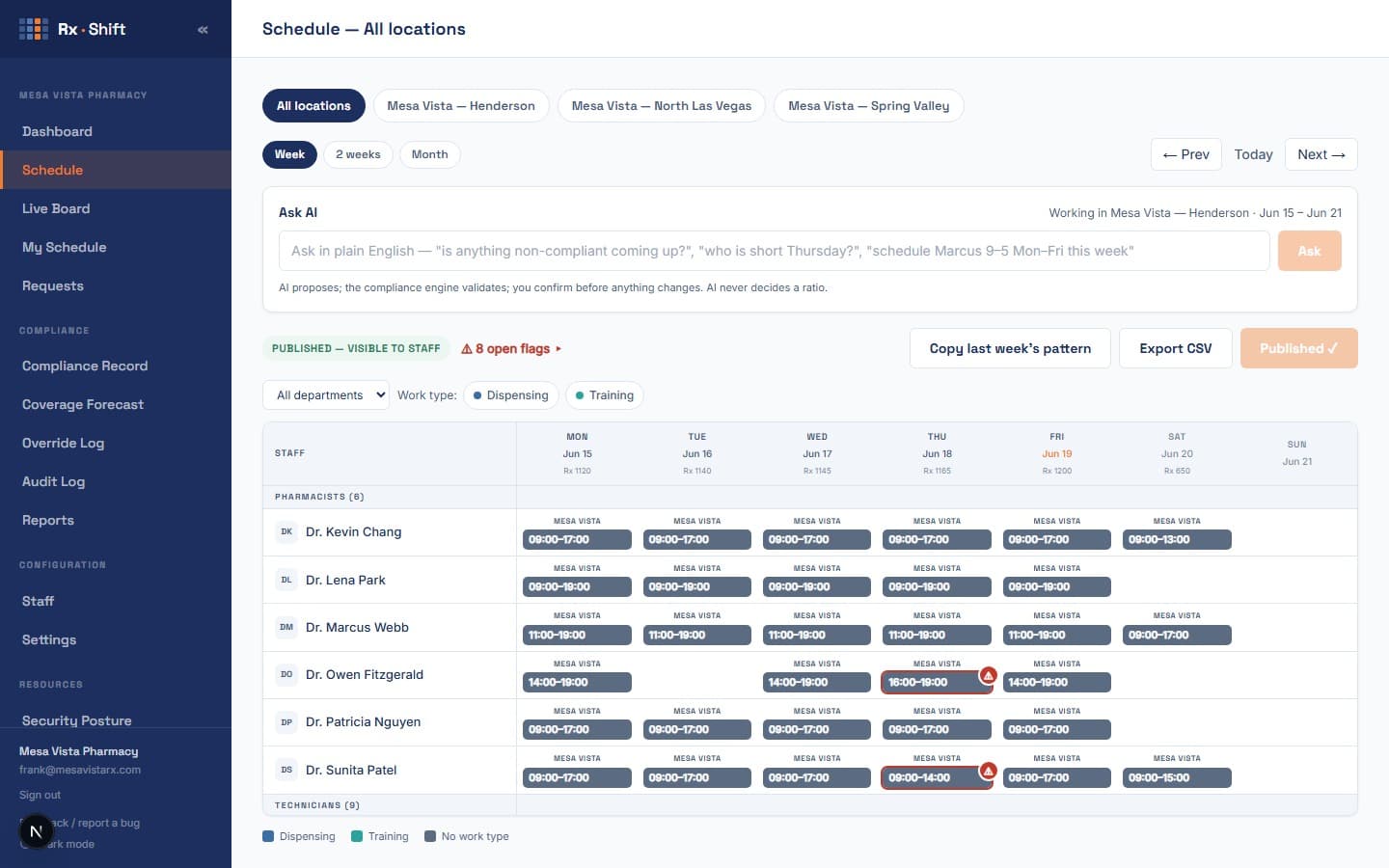
Ratio-aware scheduling
RxShift applies your state's pharmacist-to-tech ratio rules to every shift as you build it. Certified, non-certified, trainee, and intern counts are tracked separately because the math is different for each, and most states require it. Any slot that would break ratio is flagged before you publish, not discovered after the fact.
Live status
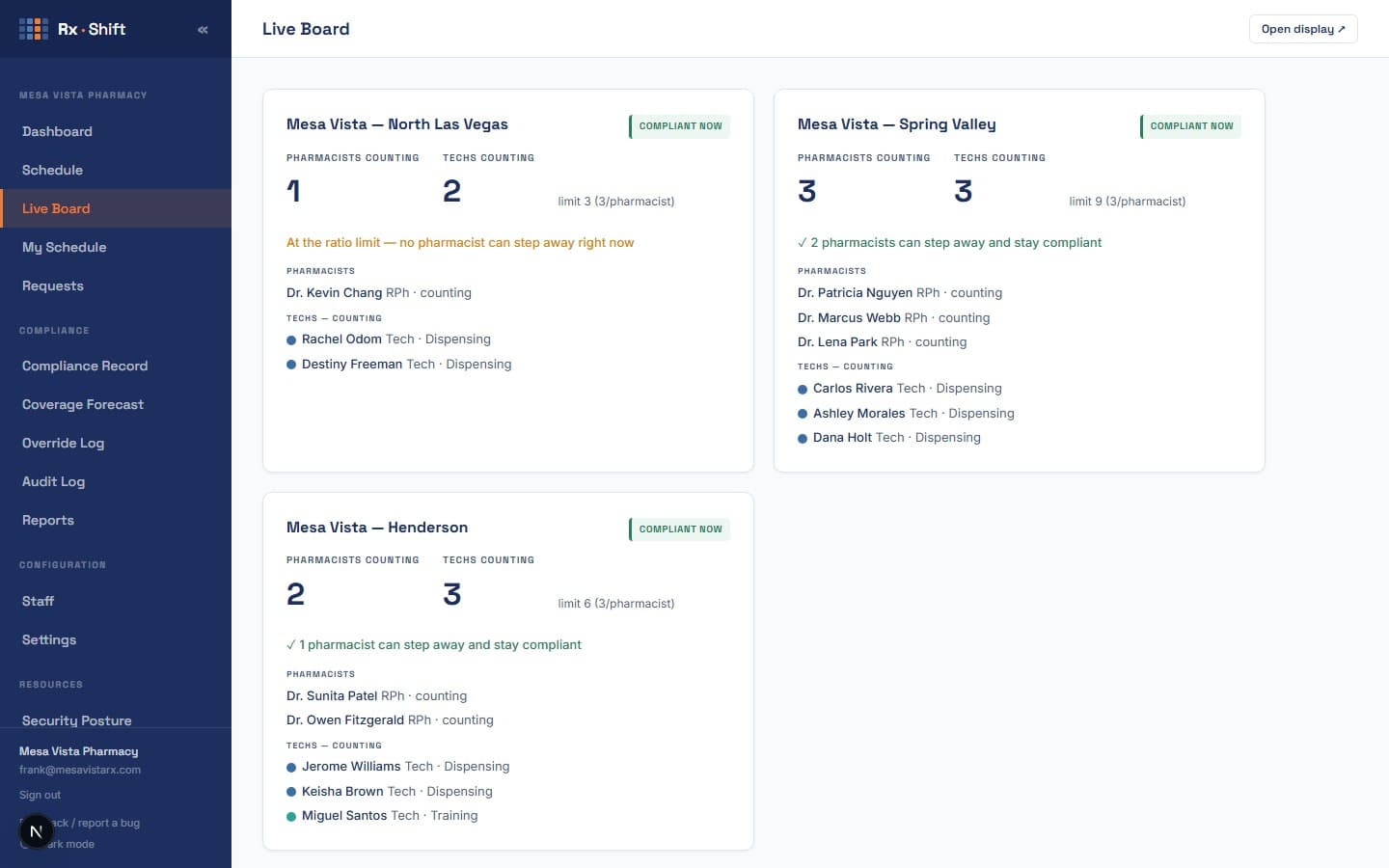
Know who can step away, without breaking ratio
The Live Ratio Board shows every location's real-time ratio status and, for each pharmacist on duty, how much headroom that location has right now — so a pharmacist can see whether stepping away for a break would put the floor out of compliance before they do it, not after. Pharmacies running the board on a wall monitor use the read-only kiosk display; everyone else checks it from the sidebar.
Compliance
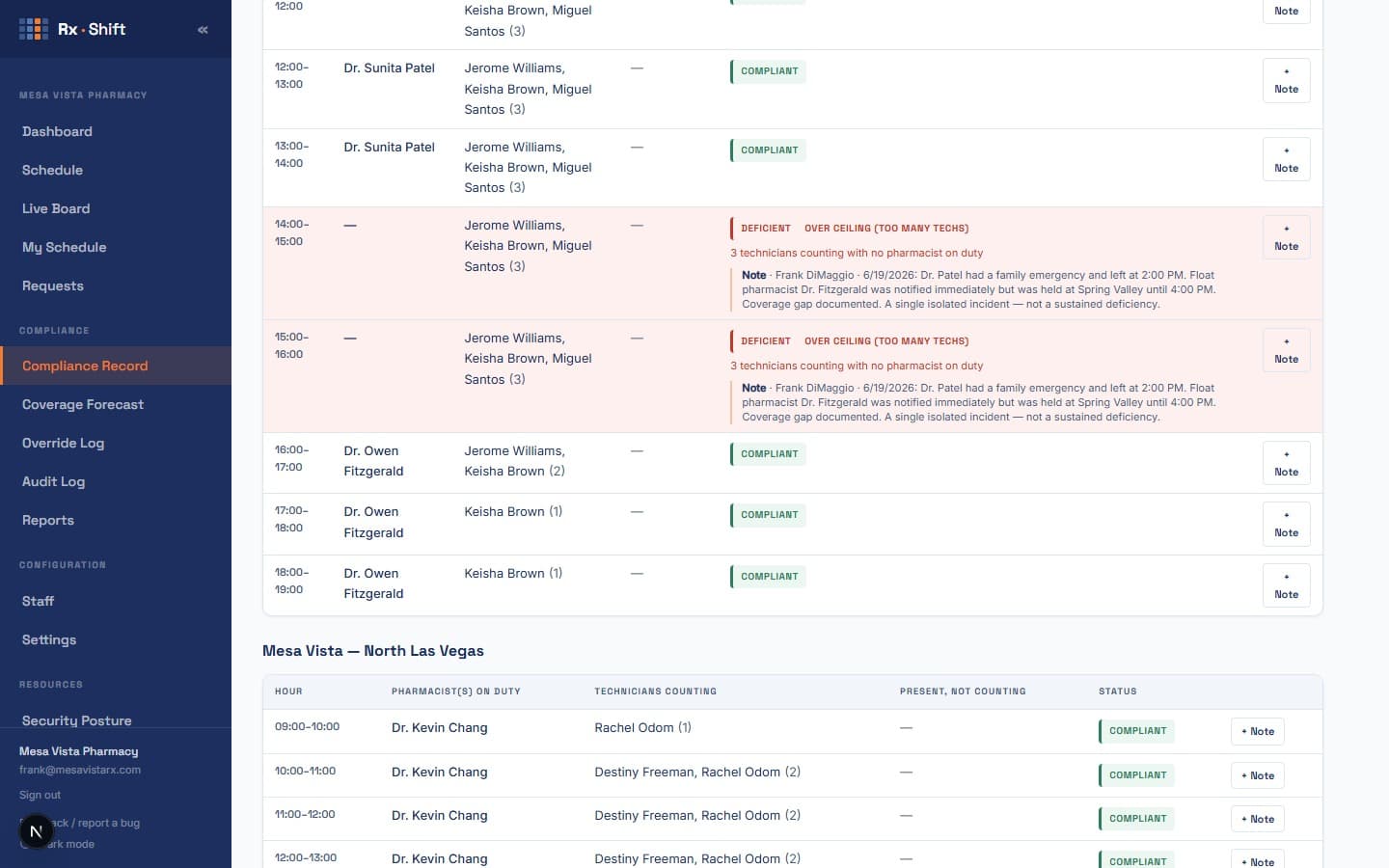
An automated hourly Compliance Record
RxShift builds a timestamped hourly Compliance Record of what actually happened: the pharmacist and each technician on duty per hour, deficiency flags when coverage falls short, and an alert to your managers if deficient hours run several days in a row. It finalizes hour by hour from the published schedule and your team's live statuses, is retained two years, and exports on demand for a board inspection. RxShift never contacts a board itself — that call always stays yours.
Requests, callouts, and swaps — with the ratio impact shown up front
Time-off requests, callouts, and manager-mediated shift swaps all show their effect on ratio before anyone approves them. Approving a request that would create a deficiency requires a logged reason, so the record shows a decision was made, not that a gap went unnoticed.
AI that proposes, never decides
RxShift’s AI assistant can draft shifts from a plain-English request, explain why a slot is flagged, and answer questions from your help articles. It never decides compliance on its own: every proposal runs through the same deterministic ratio engine that builds the Compliance Record, and a person confirms any change before it’s applied. Full detail on how we handle AI and data is on the Security page.
Works on your phone
My Schedule and Requests are built for a phone screen — the two things staff actually need to check between shifts. Add RxShift to your home screen and it opens like an app, no App Store required. Building or editing the schedule itself is a desktop task; RxShift will say so rather than force a cramped mobile layout onto it.
Designed for 1–25 locations, not enterprise software
No implementation project. No dedicated IT. RxShift is configured for your locations, your state’s ratio rules, and your staff in under an hour. Pricing is per location per month, not per employee, not per feature tier — see current pricing. Curious what this looks like for a specific state? Nevada’s rules are one of the more detailed examples — see how RxShift handles Nevada.
Have a specific workflow question? Email us at info@rxshift.io